
Mass upload & auto-sort
Never Sort a Paper Stack Again
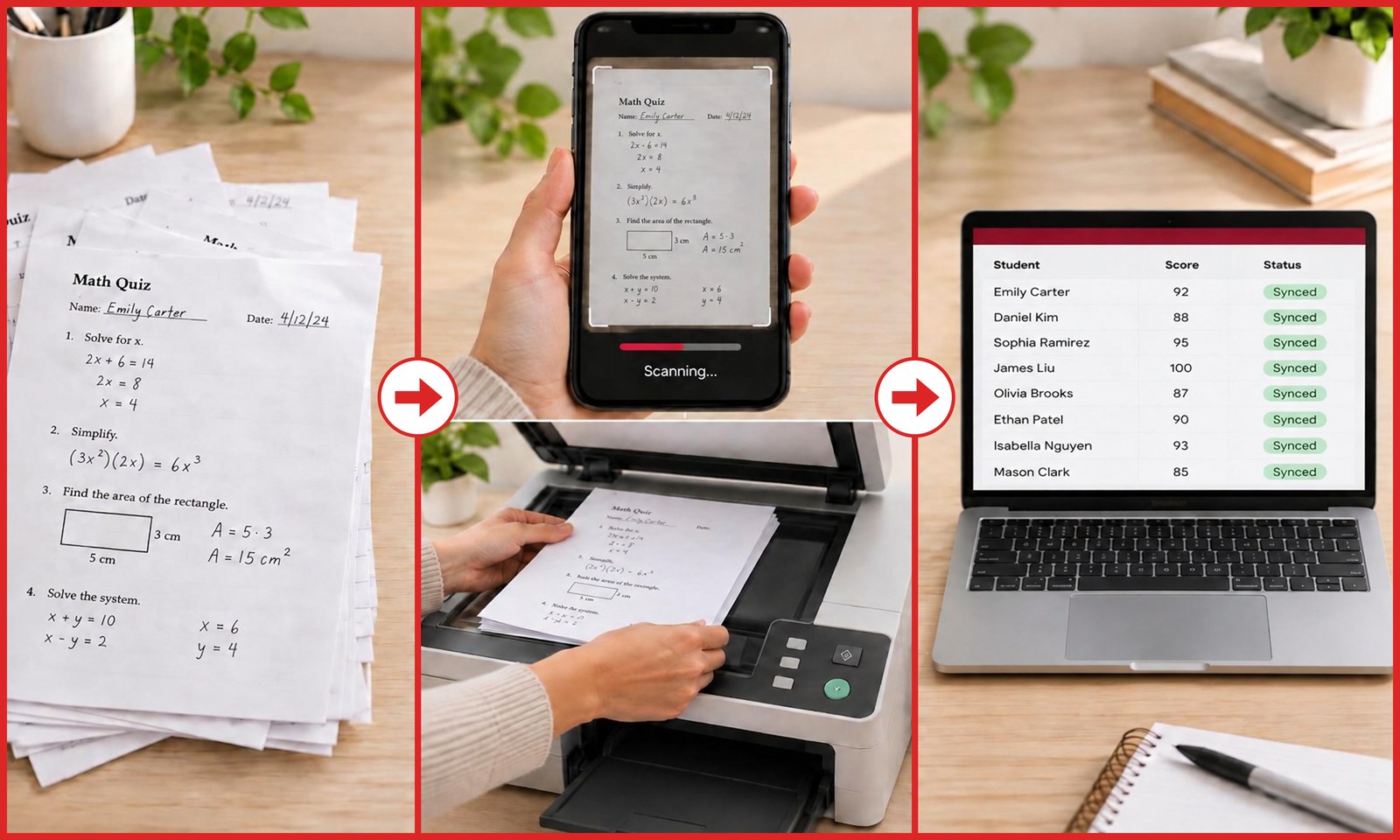
Upload 100 tests from every period in one go. Each paper is matched to a student on your roster and filed into the right class period automatically.
Hours of grading, done in minutes
Drop in every period's papers at once. We handle the rest:
50 free scans monthly • No credit card • No Scantrons or bubble sheets
The paperwork, handled
Mass upload & auto-sort
Upload 100 tests from every period in one go. Each paper is matched to a student on your roster and filed into the right class period automatically.
Handwriting & roster matching
We read the name on each paper and match it to your uploaded roster, even learning each student's handwriting over time. Unsure matches wait for your one-tap confirm.
Canvas & Google Classroom
Send approved scores straight to Canvas or Google Classroom in one click — as drafts to review or returned to students. Canvas can include question-by-question comments too.
AI suggests. You decide.
Grade your way. Every setting bends to how you teach, and nothing is final until you approve it.
Dial grading from lenient to strict, like setting a curve. Decide how much partial credit work and small slips earn.
The AI follows your answer key exactly and never invents its own answers.
Build rubrics from presets, write your own, or let AI draft one — with exact points and partial credit per criterion.
See each paper beside its grade. Change points or feedback on any question in seconds, then bulk-approve the confident ones.
Choose the tone students see — direct, encouraging, hint-based — or turn feedback off.
Periods, classes or homerooms; A–F, percentage or standards-based scales; rosters imported from any spreadsheet.
Beyond the grade
See which questions each class missed most and the common mistake behind them.
Students scoring below 70% are grouped for you, so small-group review is planned before tomorrow.
Printable one-page reports with bold, printer-friendly marks on missed questions and space for students to write corrections.
Most Missed Questions · All Periods
Common mistake on Q4
Added denominators instead of finding a common one.
Re-teaching group (below 70%): 6 students
Why not just use…?
vs. Scantron & ZipGrade
No bubble sheets to print. Grade the worksheets you already use — handwritten math, short answers, and multi-page packets.
vs. ChatGPT
No copy-pasting one paper at a time. Upload a whole stack, match every name to your roster, and keep strict answer-key grading.
vs. Grading by hand
120 quizzes: about 2 hours by hand vs. about 10 minutes to scan and review. Same red-pen judgment, minus the Sunday afternoon.
Import your class lists once from Google Classroom or any spreadsheet, then attach an answer key or rubric.
Snap photos or upload one big copier PDF with every period mixed together. We sort it out.
Approve scores side by side with each paper, print correction reports, and send grades to Canvas or Google Classroom.
Free to start
50 scans / month
50 free scans every calendar month. No credit card required.
Every plan includes roster matching, reports, and Canvas & Google Classroom sync.
Pro: $9.99/month or $99/year · Unlimited scans
Save 17% with annual — 2 months free
Try 50 Free ScansWhat happens to your students' work when you scan it.
No student accounts
Students stay on pencil and paper. They never sign in, download an app, or give us anything.
Not used to train AI
Papers are sent to our AI service only to grade your assignment — never to train public AI models.
Only you can see it
Your rosters, scans and grades are tied to your teacher account, sent over encrypted connections.
Delete anytime
Remove papers, assignments or students whenever you want, or ask us to remove your whole account.
Your answer key or rubric is the ground truth. The AI matches student work against your answers and never overrides them.
No. It works on the worksheets, handwritten quizzes and multi-page test packets you already use — photos or scanned PDFs.
Yes. Your classes, papers and grades are visible only to your account, and we never sell your data.
Always. Every score is editable question by question, and nothing is final until you approve it.
Free accounts receive 50 scans each calendar month, renewed on the first day (UTC). Each successfully graded student packet counts as one scan. Pro is $9.99/month or $99/year (2 months free) for unlimited scans.